

Your indoor lighting and device screens flicker. This causes eye strain and headaches.
You can’t see flicker with the naked eye, but your brain can detect it.
This is a 10 second video that shows the flicker in your bulb.
Most indoor lights/LEDs rapidly pulse on and off 100 to 120 times a second. This is what causes them to invisibly flicker.1 Your computer and phone screens flicker too.
Even though flicker is invisible, it creates rapid light fluctuations that can stress the brain and visual system. Our eyes have to keep adapting to tiny changes in brightness. This is why low-quality lighting and screens can leave one feeling tired and cause headaches.
How to remove flicker from Computer screens:
Screens flicker when brightness is not at 100%. Instead of actually dimming the light, the screen flashes on and off very quickly to fake a lower brightness. (This technique is called Pulse Width Modulation or PWM).
The lower your brightness, the longer the off gaps are, making the flicker more aggressive and harder on your brain. I used to keep the brightness low to reduce the screen glare, till I learned about flicker.
Here is what I do and it significantly reduced my eye strain:
Increase the brightness to 100%: This keeps the backlight always on and eliminates the flicker / PWM flashing.
Use a software dimmer like Iris: Since 100% brightness is harsh on the eyes, you need a way to lower the brightness without the flicker. Iris is the best tool for this.
How to remove flicker from Phone screens:
iPhone:
iPhone 16 and older: Keep your hardware brightness at 100%. Go to Settings > Accessibility > Display & Text Size. Turn on Reduce White Point and slide it to 80-90% to dim the screen safely.
Pro Tip: When in the sun, you will have to toggle off White Point so you can actually see your screen. You can set this to a triple click shortcut in your Accessibility settings.
iPhone 17: Apple added a native setting to reduce flicker, but there is a catch: it only works if your hardware brightness is below 25%. Above 25%, the screen still flickers. Because of this, I highly recommend keeping your brightness at 100% and using the “Reduce White Point” method from the bullet above.
If you still want to use the native setting: Go to Settings > Accessibility > Display & Text Size and toggle on Display Pulse Smoothing. (Note: iOS will not let you use this at the same time as Reduce White Point).
Android:
Just like the iPhone, keep your hardware brightness slider at 100%. Then, go to Settings > Accessibility > Vision Enhancements (or Display) and turn on Extra Dim. This applies a software shadow, allowing you to dim the screen safely without triggering the hardware strobe.
Pro Tip: You can add the “Extra Dim” toggle directly to your Quick Settings pull-down menu so you can easily turn it off when you walk out into the sun.
How to remove flicker from Home lights:
Use Incandescents: While they aren’t always 100% flicker-free, they drastically reduce it. Because they create light using a physical filament that stays glowing hot even as the AC power cycles, the light output remains smooth instead of harshly flashing. The bulbs I use are flicker-free.
Additionally, at night, I only use red incandescent bulbs to protect my melatonin and prepare for sleep.
Check your LEDs: Most cheap LEDs aggressively flicker 120 times per second. If you use LEDs, specifically look for and buy bulbs labeled “Flicker-Free.”
Ditch the dimmers: Avoid using wall dimmer switches. Dimmers work by chopping up the electrical current, constantly pulsing the power on and off. This creates a harsh, aggressive flicker, even if you are using good bulbs.
These seemingly innocuous 60 second fixes to your home and display lighting will significantly reduce your eye strain. Do Health on Easy Mode.
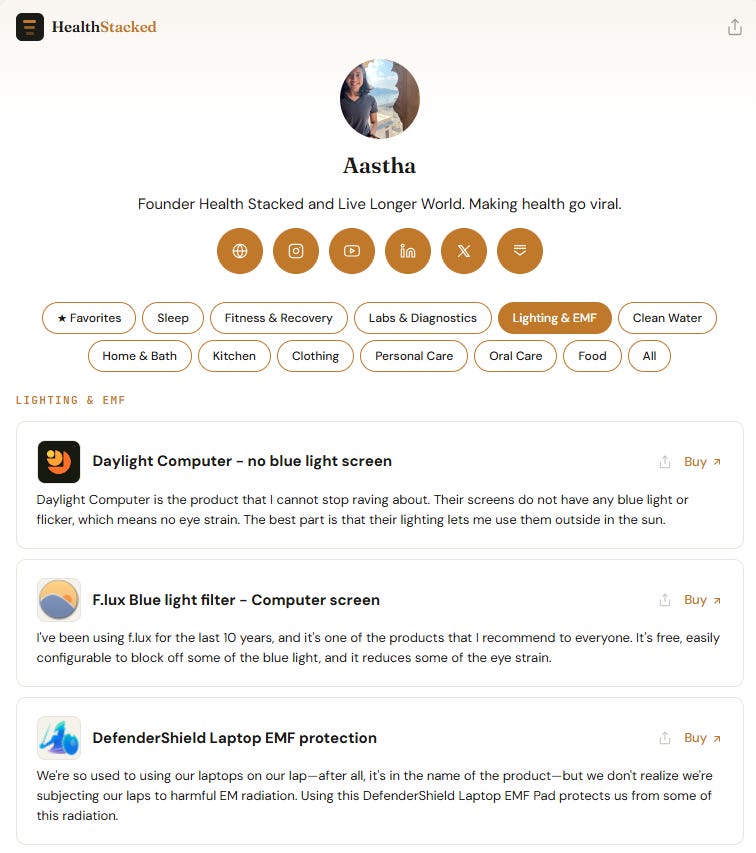
See all my lighting and blue-light blocking products on my health stack. Inclusion is 100% merit-based. Brands do not pay to place.
Environment over effort,
Aastha
Follow me on X @aasthajs & Instagram @aasthajs as I parse through the snake-oil in longevity. If my work is useful, become a paid subscriber.
Browse my health stack across 12+ categories (sleep, fitness, non-toxic kitchen, clean water, skincare, diagnostics, lighting).
Related Posts:


This flicker happens because modern power grids use Alternating Current (AC), which constantly drops to zero voltage and causes LEDs to strobe. In contrast, Thomas Edison’s original lightbulbs ran on Direct Current (DC), a steady, continuous flow of electricity that produced zero flicker.
Thank you so much for this 🙏🏻 I knew about blue light from screens but I had no idea about the issue with flickering!
Does the Iris software address the flicker?