

If you think it’s weird that our house is red at night, it gets weirder.
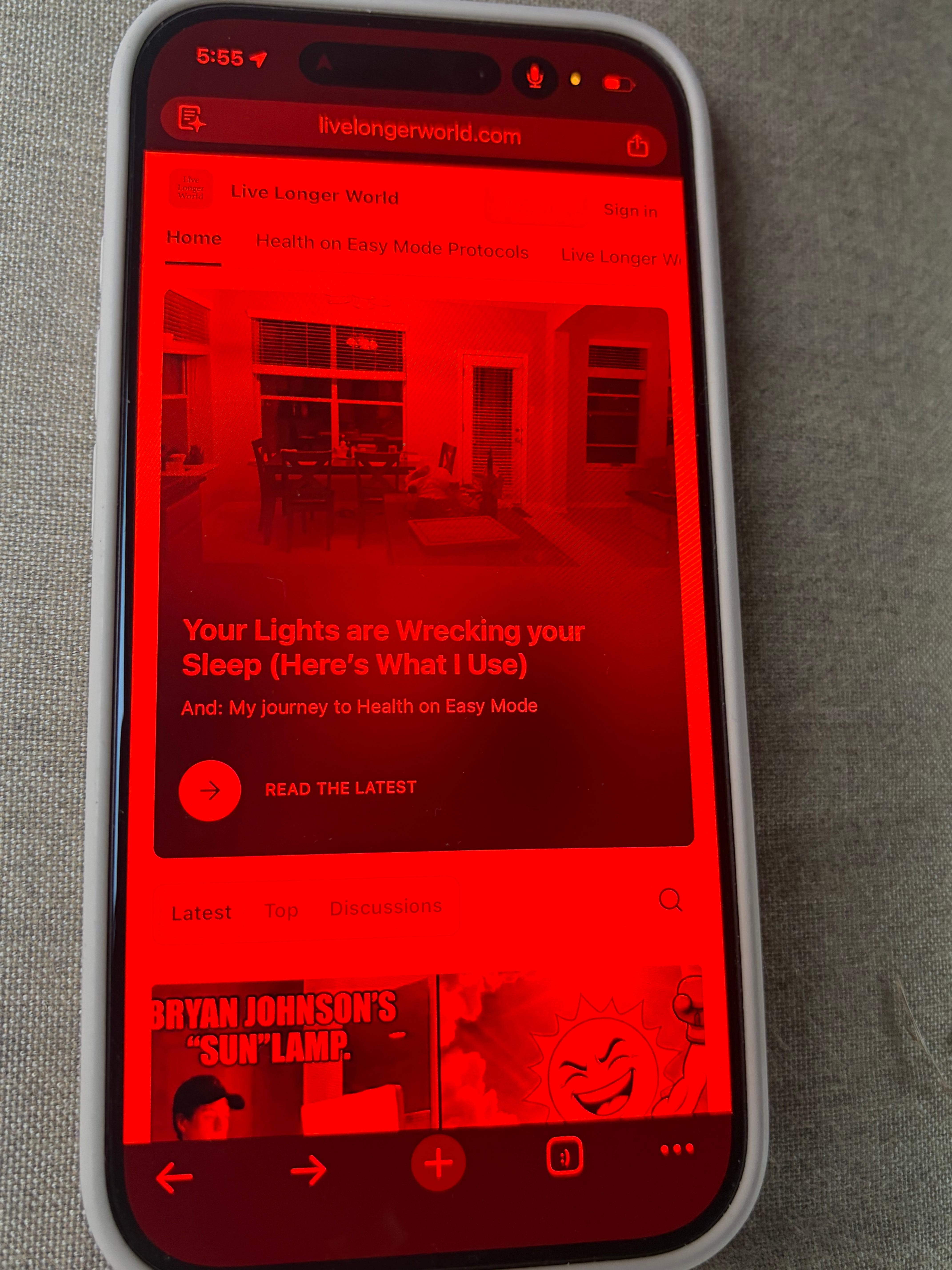
My phone is red too.
Blue-rich LEDs in your house are ruining your sleep.
Blue LEDs are not just in your house lighting. They are hiding in all your device screens as well: computers, TVs, and phones.
At night, blue light signals “alertness” to the brain and suppresses melatonin, the hormone that helps you wind down. Blue light can also cause overeating and alter our metabolism. This is why I only use red incandescent bulbs after sunset.
But changing my lights wasn’t enough. If your house is red but your phone and devices are blue, you are still signaling daytime to your brain.
Here is exactly how I stripped blue light from my devices:
1. iPhone: The “Red Light” Trick
Most people use “Night Shift,” but that only warms the screen slightly. To fully protect your melatonin, you want to eliminate blue pixels entirely and turn your screen monochrome / entirely red.
I set my phone so a simple triple-click of the side button switches it to red mode.
Set it up in 60 seconds:
Go to Settings > Accessibility > Display & Text Size.
Tap Color Filters and toggle it ON.
Select Color Tint (the last option).
Scroll down to the sliders: Slide Intensity and Hue all the way to the right (Max).
Go back to the main Accessibility menu.
Scroll to the very bottom and tap Accessibility Shortcut.
Check Color Filters.
Now, simply triple-click your power button after sunset and your screen will turn pure red.1
2. Android: The Red Mode
If you are on Android, you have two options depending on your model.
Option A: Native Settings (Samsung/Newer Phones)
Go to Settings > Accessibility > Visibility Enhancements (or “Display”).
Look for Color Correction or Color Filter.
Turn it on and select Red or Grayscale with a red tint.
Like the iPhone, you can often set an “Accessibility Shortcut” to toggle this with a button press.
Option B: The App Solution If your phone doesn’t have a deep red filter built-in, you can try the free app Twilight. It allows you to overlay a red filter on your screen automatically at sunset, far more aggressively than the standard Android “Night Light.”
3. Computer: F.lux
I’ve been using F.lux for over 5 years. It is a free software that syncs with your local sunset time to remove the blue light from your monitor.
While Windows and Mac now have native “Night Light” modes, I find F.lux is much better at getting the screen to a deep, campfire orange/red color rather than just a pale yellow.
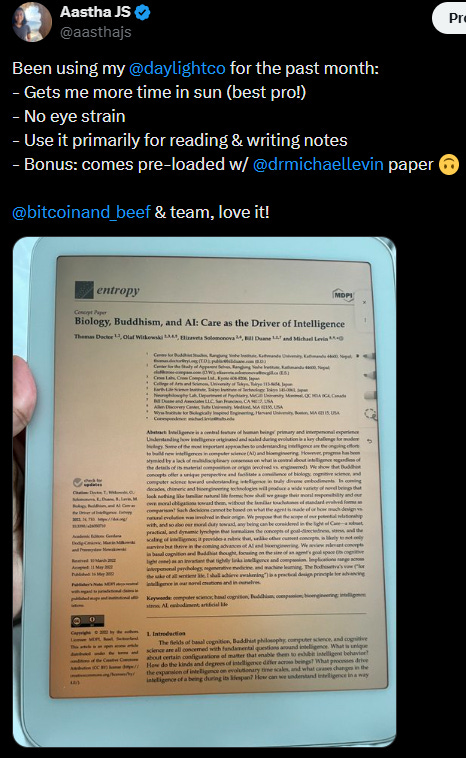
4. Blue-Light Free Tablet: Daylight Computer
This tablet has been one of my favorite purchases of the past year.
Unlike an iPad or Kindle, the Daylight Computer is naturally free of blue light and flicker.
I use it primarily for reading. It is a calming experience which makes you realize how aggressive the flicker and glare of traditional screens are.
Use code livelongerworld for $25 off.
5. Blue-light blockers
As evening approaches, I occasionally swap my regular glasses for blue-light blockers. Even though my home is lit by red bulbs, occasional blue light seeps in from the fridge light, the microwave clock, or streetlights outside. These are also very useful when you’re away from home in blue-light rich places or for watching TV at night.
Summary of my stack:
iPhone: Triple-click for Red Color Filter after sunset.
Computer: F.lux (all day, but aggressive at night).
Reading/Browsing: Daylight Tablet.
Glasses: Blue-light blockers.
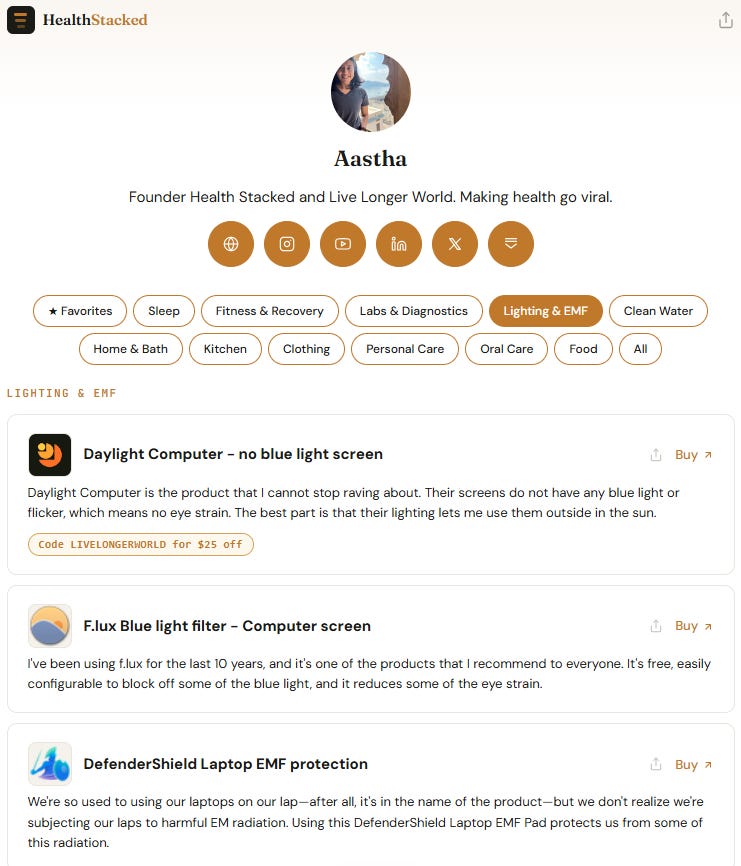
See all my lighting and blue-light blocking products on my health stack. Inclusion is 100% merit-based. Brands do not pay to place.
Environment over effort,
Aastha
Follow me on X @aasthajs & Instagram @aasthajs as I parse through the snake-oil in longevity. If my work is useful, become a paid subscriber.
Browse my health stack across 12+ categories (sleep, fitness, non-toxic kitchen, clean water, skincare, diagnostics, lighting).
Related Posts:


This of course means that you won’t be able to see any blue text, but it’s not as bad as you think.
Thank you!!!
Love this :)